Name
WasteType
Type
Read/Write
When to use it
You can set the value of this property before calling the methods StartGuillotine, StartNested or StartMultiStages .
You may get the value of this property anytime.
Prototype
property OptimizationType: Long;
Explanations
Specify what kind of waste is required. Possible values are:
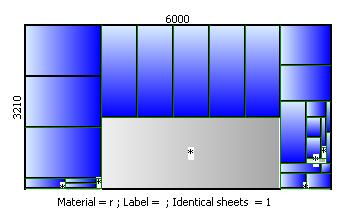
0 - the waste can be anywhere. The goal is to obtain the largest waste possible.
1 - the waste is placed to the end of the sheet.
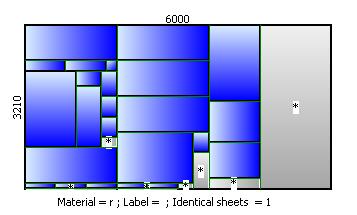
In the case of Guillotine and Nested optimization, the waste will be placed at the right (or left) of the sheet if Width of the sheet is smaller than the Length. Otherwise it will be placed at the bottom (or top) of the sheet.
In the case of MultiStage optimization, the waste edge is given by the value of FirstDirectionMultiStages property. If this property has value 0, the waste will be placed at the bottom (or top) of the sheet, otherwise will be placed at the right (or left).
Default value
0
See Also:
StartGuillotine, StartNested, StartMultiStages.
Links